


Operation Manual of the LT Report
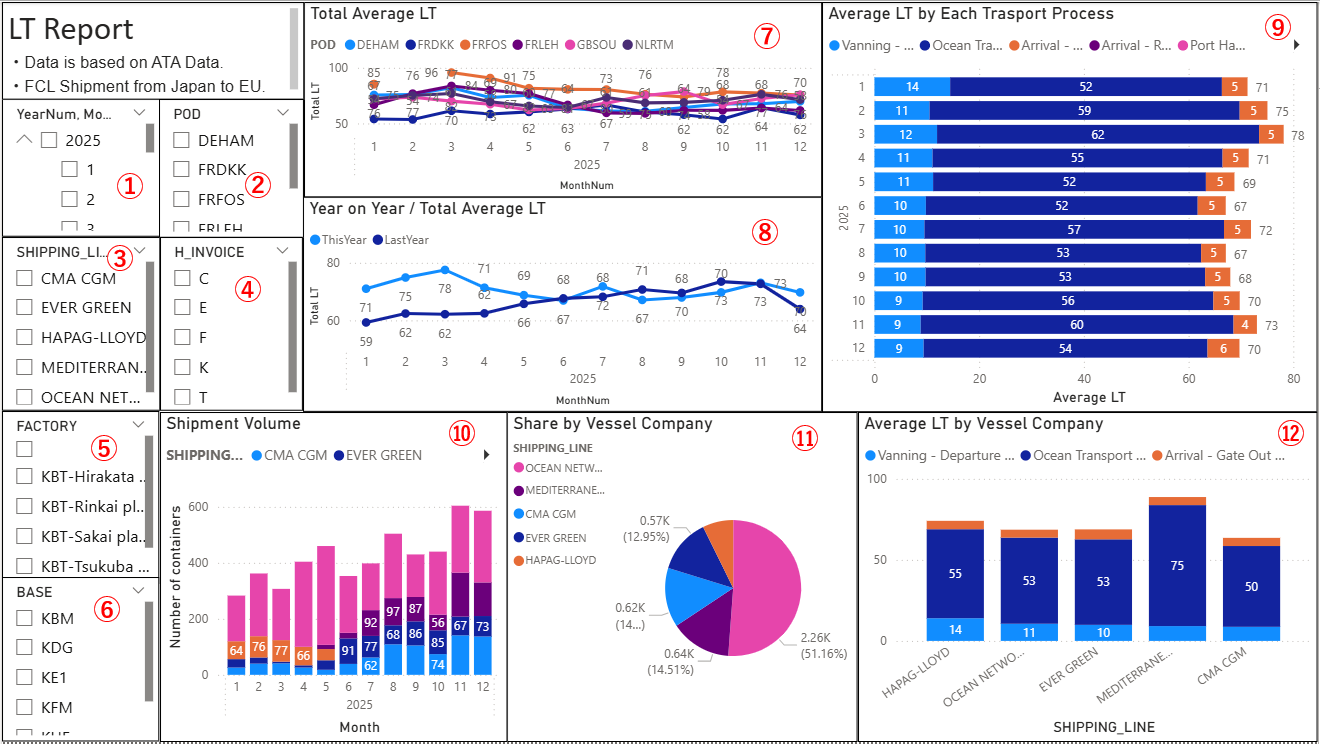
各データの明細(コンテナ#等)の確認方法
How to Check the Details of Each Data Item (e.g., Container Number)
各データの貨物情報の明細をドリルスルーという機能を使って確認が可能です。
You can check the detailed cargo information for each data item by using the “Drill-through” function.
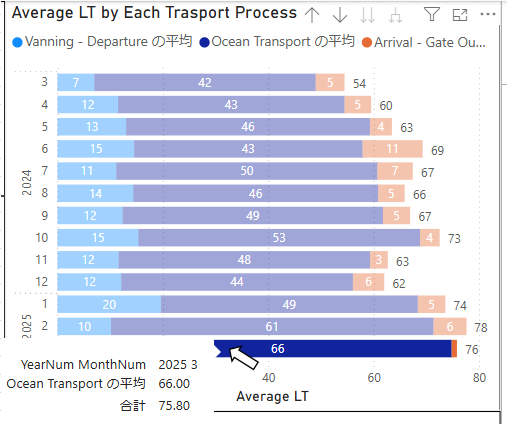
1) 見たいデータにカーソルを当てる
1) Hover the cursor over the data you want to view
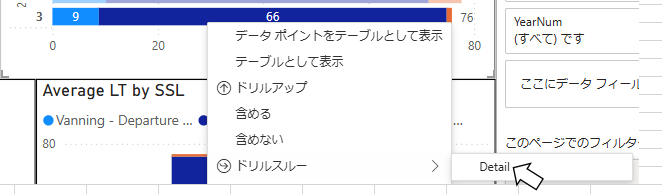
2) 右クリックしてドリルスルー⇒Detailを選択
2) Right‑click and select Drill-through ⇒ Detail
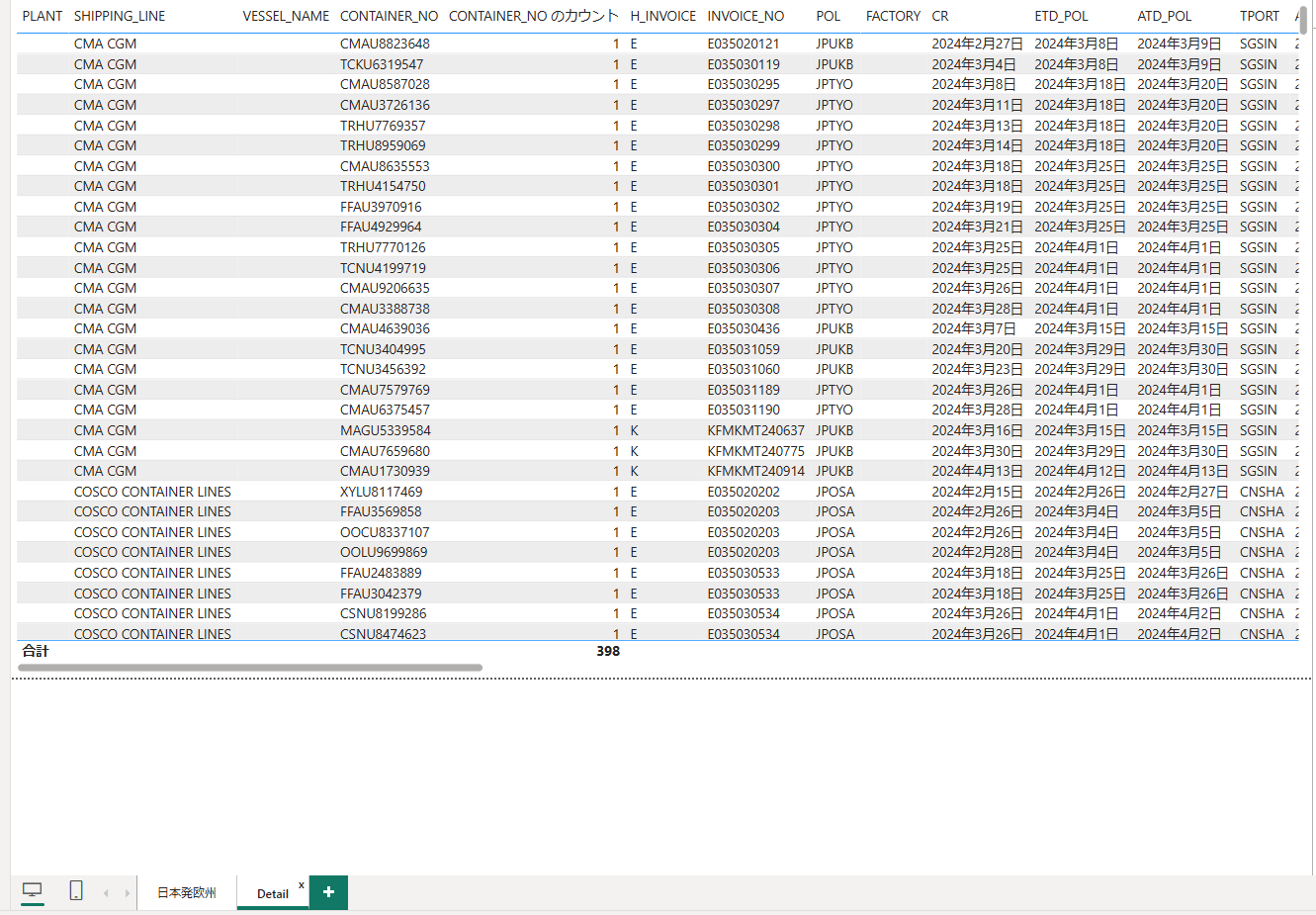
3) Detailのシートに対象コンテナの明細が表示されます。
The details of the selected container will be displayed on the Detail sheet.
LTレポートの詳細な仕様 - Specification Details
テキストを入力してください